Make meeting patching deadlines simple and scalable
Approve once, deploy everywhere, and keep every application current across your whole customer base from a single platform.

Deploy apps in a couple of clicks
Choose the applications a customer needs, target multiple tenants at once, and let Intune handle delivery. No packaging work, no repeating the same steps in Intune.

Ensure apps are verified
Every app and package in our catalog is curated, tested, and security-checked before it reaches a customer device; the only decision you need to make is, which apps?

Ensure productivity without sacrificing security
Users can download approved applications themselves via Intune’s Company Portal app without being admins, so you can tighten permissions and let people install what they need to work.

Consolidate tooling and improve efficiency
Move third-party app deployment and patching out of your RMM by leveraging Intune, which also supports network delivery optimization.
Manual app management doesn't scale

Every endpoint presents risk
A typical device runs dozens of Microsoft and third-party applications. You are accountable for all of them being deployed and current on every device, in every tenant.

Packaging and testing is time-consuming
Sourcing, packaging and testing install scripts for each application, in each tenant, on every new version is slow, expensive, and under-valued. Your engineers’ time could be better spent elsewhere.

Inconsistent source control
Third-party and agent-based deployment mechanisms typically serve links rather than apps. Changes to this workflow can produce real errors since no app exists at the point of request.
One catalog for every tenant you manage
Turn app requests, deployments, and updates into a repeatable process your whole team can run.
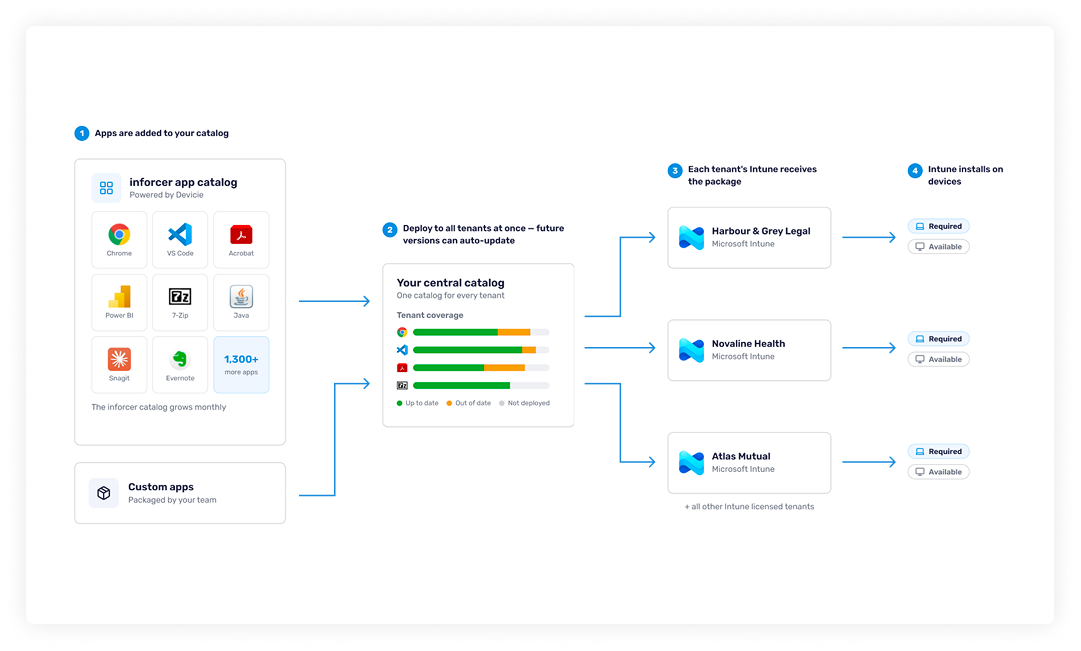
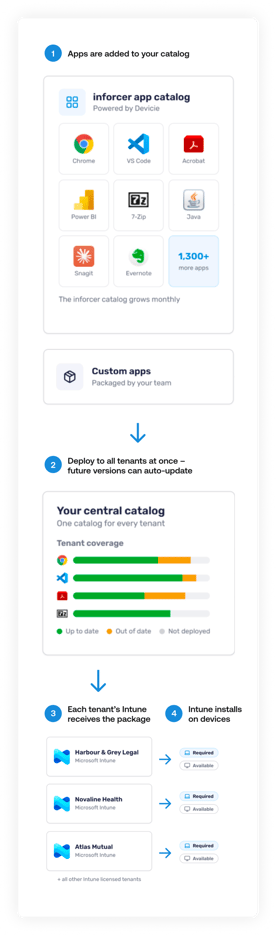

A curated catalog, ready to deploy
Browse 1300+ applications already sourced, packaged, and tested for Intune. Subscribe to an app and it is ready to target at any customer you manage.
Making custom apps manageable
Upload your custom app packages once per version, then set per-client install strings from a central view.

Updates while you sleep
New versions are packaged and published to the catalog as vendors release them, so your customers stay current without anyone writing another script.

One place to deploy every application
Start from our catalog of pre-packaged, scanned and verified apps, or upload your own custom applications.
What our partners say
Hear from MSPs using inforcer to deploy and manage applications across their customer base.
-
"inforcer has helped us better define what we do and improve how we deliver. To any other Microsoft Partner considering whether to work with inforcer, I d simply ask: can you afford not to?”
Tom Lovell,
Chief Technology Officer, Infinity Group
-
“With inforcer, we realized we had something that would allow us to define a security standard, and roll that out easily across all our customers. Without it, enrolling a single customer would have required multiple different skillsets and a much longer timeframe."
Gary Melvin,
Security Division Lead, Nostra
-
"Unlike other platforms that try to be everything to everyone, inforcer stood out as a pure specialist. Their focus on doing one thing exceptionally well, policy alignment and tenant security, was exactly what we needed."
Daniel Gough,
Systems Engineer - Managed Services, Techcare
-
"inforcer is the best platform for our needs: it s fast, easy to understand, and has the best selection of settings available compared to other M365 configuration solutions. It has made it much more manageable to deliver the full value of Microsoft 365 Business Premium to our customers."
Knut Kyrkjebø,
Senior ITC Consultant, Procano AS