<img height="1" width="1" src="https://www.facebook.com/tr?id=825528390608708&amp;ev=PageView&amp;noscript=1">

Threat detection and response built for MSPs managing Microsoft 365

Detect attacks across Microsoft 365, contain them in seconds, and turn every incident into stronger protection across every tenant.  
inforcer TDR

Why MSPs choose inforcer TDR

Built specifically for MSPs, inforcer TDR goes beyond traditional identity detection to reduce noise, automate response, and strengthen every Microsoft 365 tenant. 

Microsoft 365-wide detection

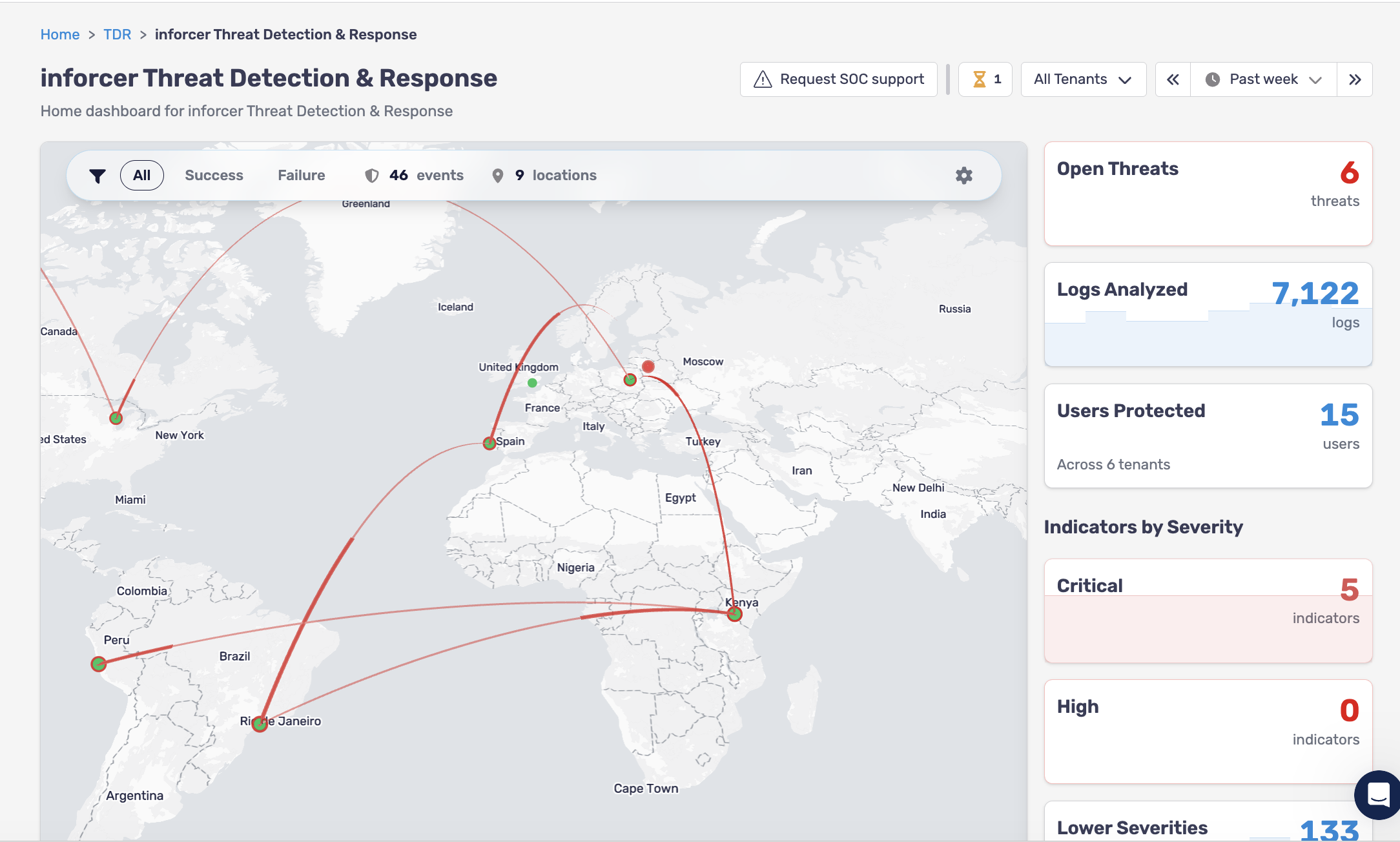
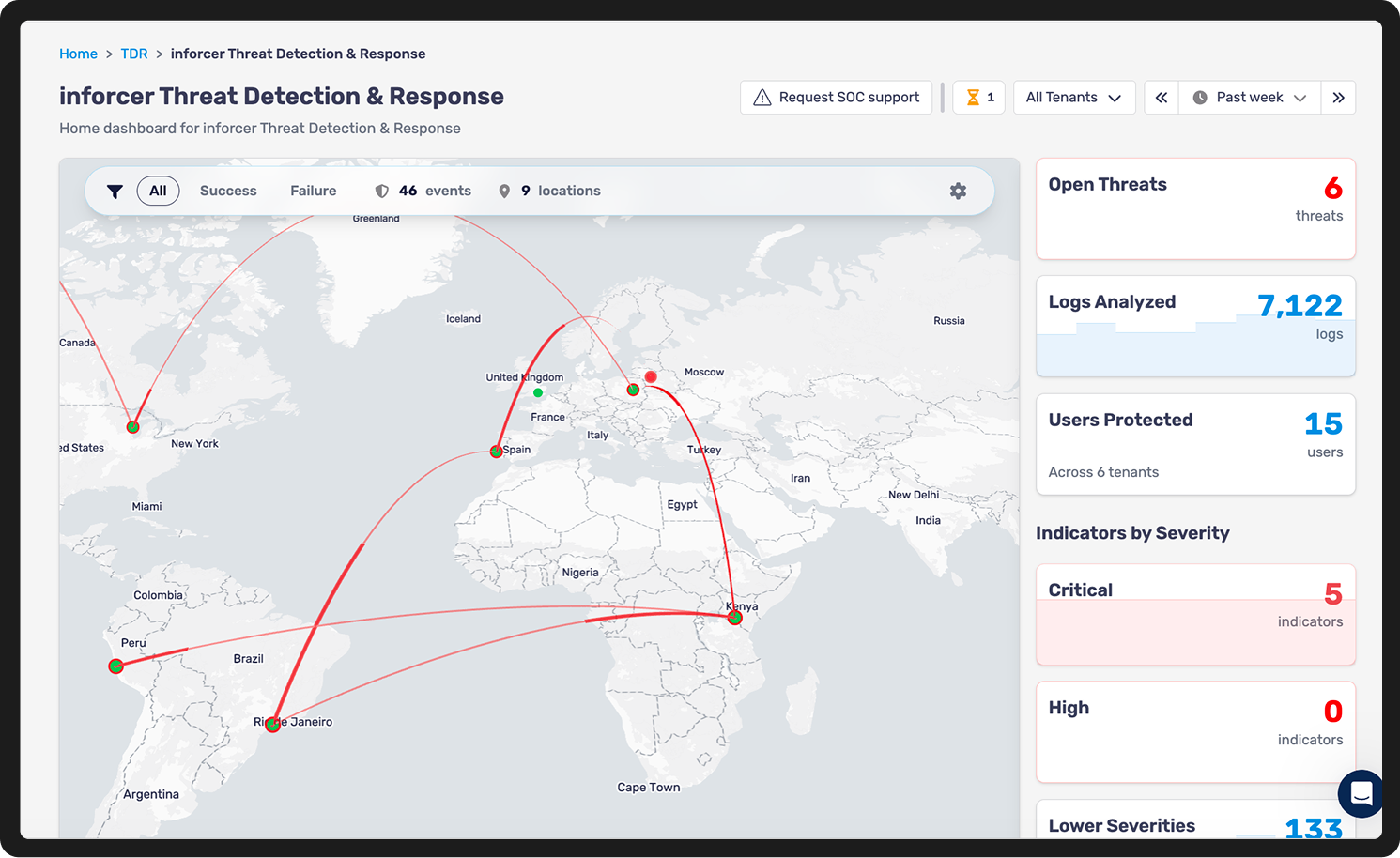
inforcer correlates signals across Entra ID, Exchange, Teams, SharePoint, Defender, and Purview so you see the full attack, not isolated events.

clock-icon-bl-bg
Contain threats in seconds

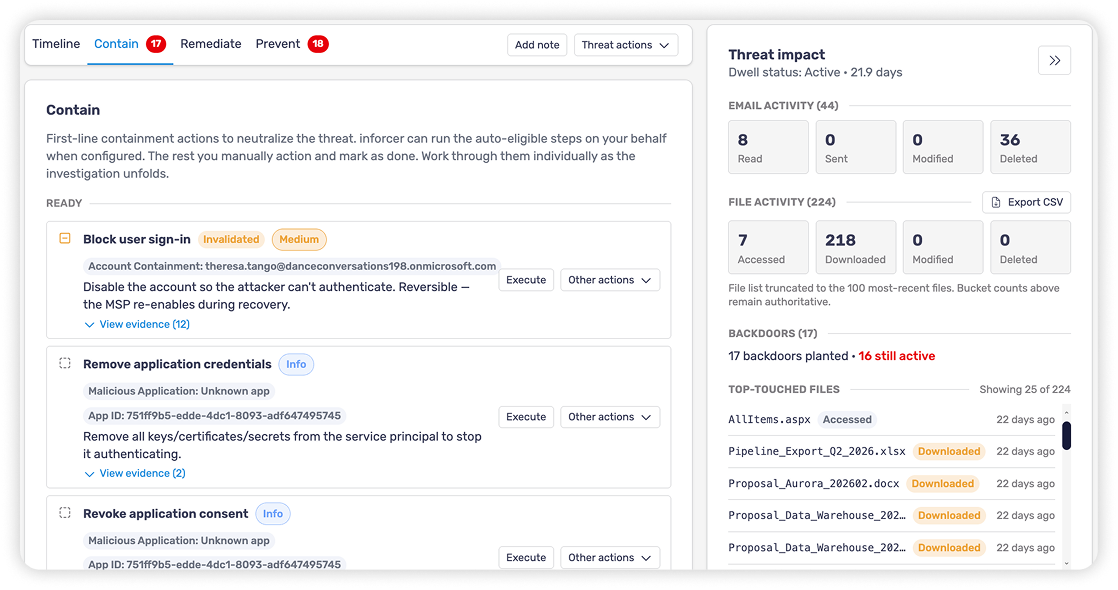
Automatically revoke sessions, lock compromised accounts, retract phishing emails, and contain attacks before they spread.  
 

Explore automated response
Fewer alerts. More confidence.

AI analyzes every signal for faster response times. Our SOC provides additional human validation where necessary to reduce false positives and sharpen alerts.

Explore AI-powered alerting
Reporting that proves your value

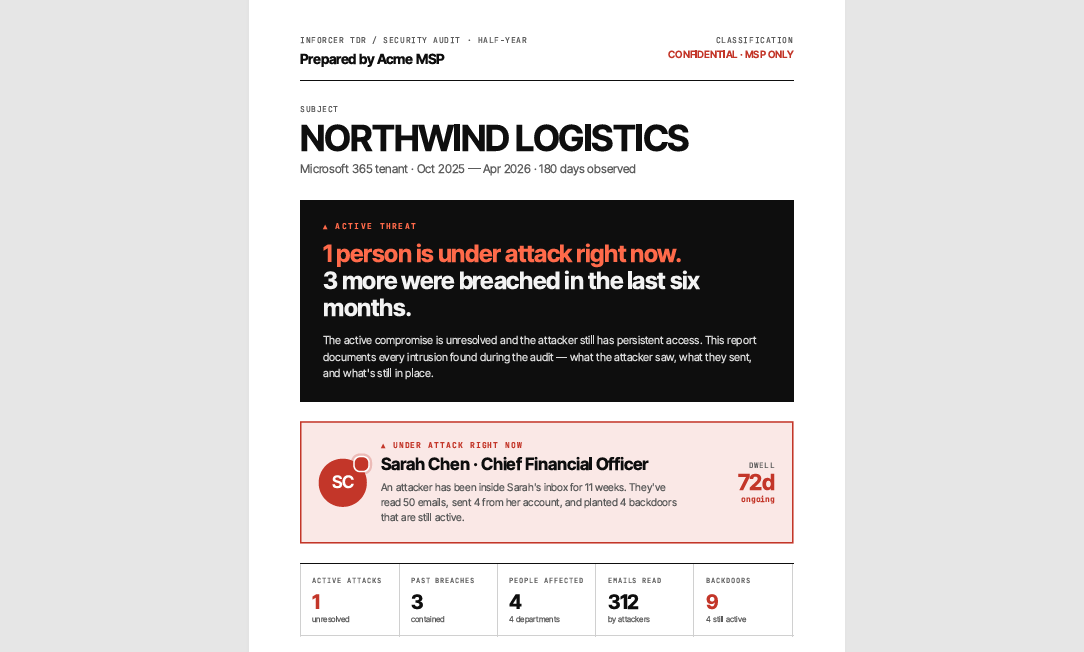
Customer-ready reports clearly show every threat detected, every action taken, and the value of your security services.  
 

Explore forensic reporting
Prevention built into every incident

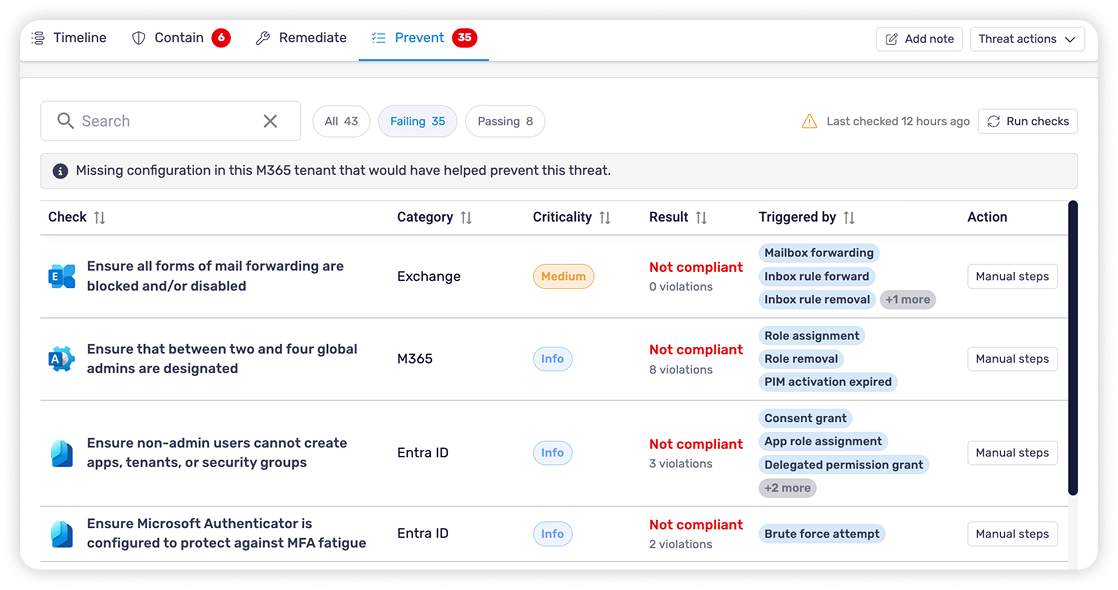
inforcer identifies the policy or configuration gap that enabled the attack, then lets you fix it across every tenant from the same platform.  

 Explore continuous
security improvement 

How does inforcer TDR work?

no-1-icon
Collect

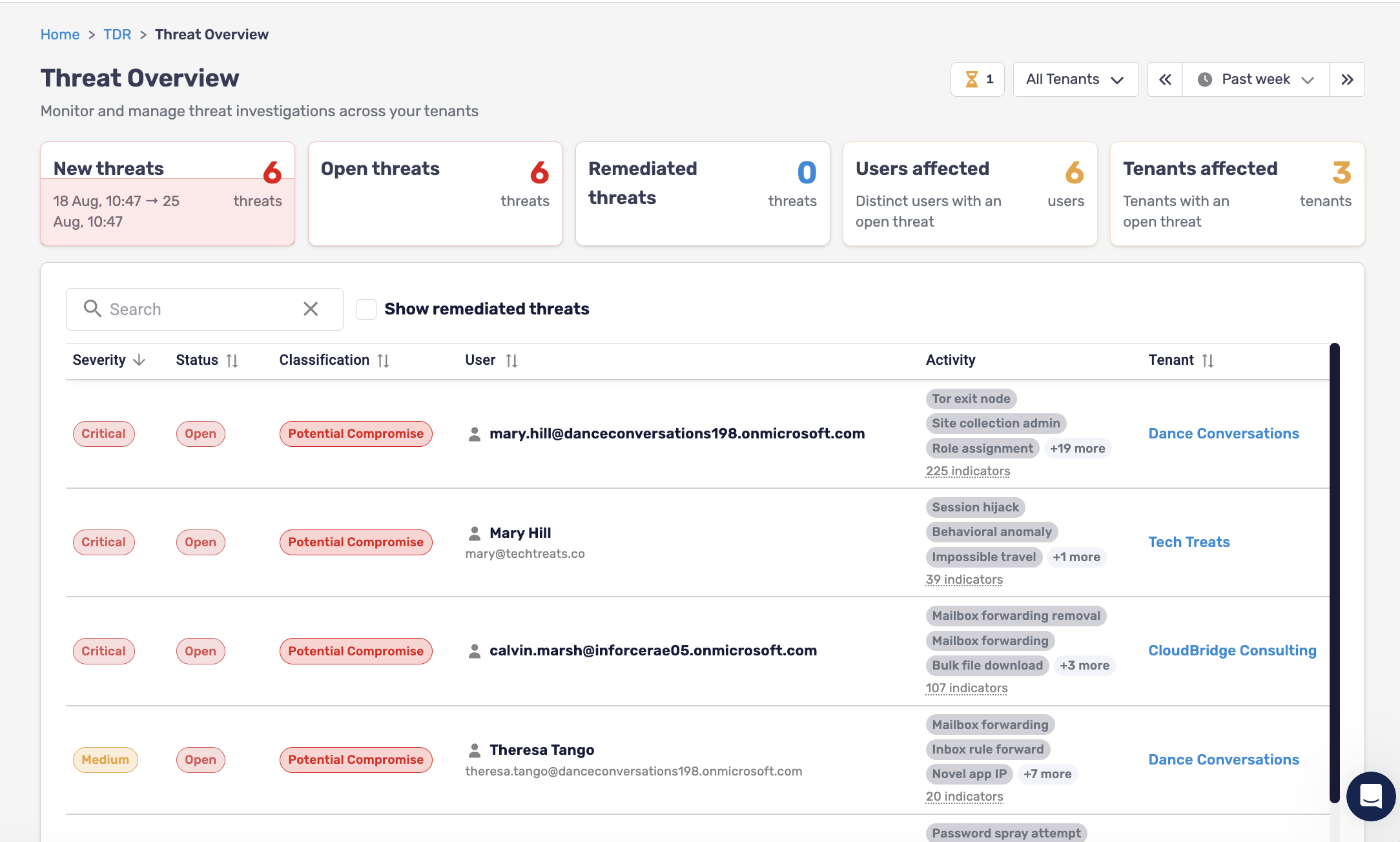
Monitor Microsoft 365 telemetry across every tenant. 

ms-logo-collection
no-2-icon
Detect

Correlate signals using AI and human SOC validation.

detect-ui
no-3-icon
Contain

Automatically revoke sessions, lock accounts, retract phishing emails, and create PSA tickets. 
contain-ui
no-4-icon
Improve 

Apply the recommended policy update across every tenant so similar attacks are less likely to happen again. 
improve-ui

FAQs about inforcer TDR 

What is inforcer TDR?
inforcer TDR is a multi-tenant threat detection and response platform built for MSPs. It detects threats across Microsoft 365, automatically contains attacks, and helps prevent similar incidents by identifying the security gap that allowed the attack.
What Microsoft licensing do I need to use inforcer TDR?

inforcer TDR works with all Microsoft 365 licenses. You do not need to have customers on Microsoft 365 Business Premium to use it. MSPs with customers on Business Basic and above can use inforcer TDR. It is licensed per user (with a Microsoft 365 license and mailbox).

Why do MSPs need inforcer TDR?

Microsoft 365 attacks now move too quickly for manual monitoring alone. inforcer TDR gives MSPs continuous detection, automated containment, and centralized visibility across every tenant, helping them respond faster, reduce alert fatigue, and demonstrate the value of their security services.

What security gaps does inforcer TDR solve?

inforcer TDR helps detect attacks that traditional preventive controls may miss, including token theft, attack-in-the-middle techniques that bypass MFA, malicious inbox rules, OAuth abuse, privilege escalation, data exfiltration, and business email compromise. It also closes operational gaps caused by delayed Microsoft logs, limited cross-tenant visibility, and the challenge of monitoring Microsoft 365 around the clock.

How does inforcer TDR detect threats?

inforcer TDR collects telemetry across Entra ID, Exchange, Defender, Teams, SharePoint, and Purview. Signals are correlated using AI, behavioral analytics, detection rules, and SOC validation where necessary to identify high-confidence incidents instead of isolated alerts.

How does inforcer TDR contain threats?

When a breach is detected, inforcer TDR can take initial immediate actions to contain it by revoking sessions, locking compromised accounts, retracting phishing emails, disabling persistence mechanisms, resetting passwords, and more - based on agreed rules of engagement, which can be further defined per tenant.

What makes inforcer Threat Detection & Response different from ITDR tools?

Unlike traditional ITDR tools that focus primarily on identity, inforcer TDR detects threats across Microsoft 365, including Entra ID, Exchange, Teams, SharePoint, Defender, and Purview. It combines AI with human SOC validation to reduce false positives, automates containment actions, maps every incident back to the policy or configuration gap that enabled it, and allows MSPs to strengthen every tenant from the same platform.

How does automated remediation work?

For highrisk and critical threats, inforcer TDR can take defined actions, such as revoking sessions or blocking accounts, without waiting for human approval. A ticket is raised for MSPs, who can then take further remediation steps such as resetting passwords, re-enabling accounts, and marking as remediated, all in just a few clicks.

What incidents can inforcer TDR detect?

inforcer TDR detects a wide range of Microsoft 365 threats, including impossible travel, password spraying, business email compromise, OAuth consent phishing, malicious inbox rules, token theft, mass file downloads, privilege escalation, suspicious API activity, persistence mechanisms, and data exfiltration. Detection spans identity, email, collaboration, applications, and data across Microsoft 365.

Does inforcer TDR work across all Microsoft 365 workloads?

Yes, inforcer TDR correlates signals across Entra, Exchange, SharePoint, OneDrive, Teams, Defender, and Purview.

Do MSPs have to monitor 24/7 themselves?

No, inforcer TDR provides 24/7 coverage leveraging AI alerting and automated containment. 

See inforcer TDR in action

Unify prevention, detection, and response in a single Microsoft 365 security platform built for MSPs. See how inforcer TDR helps you detect threats faster, contain attacks automatically, and strengthen every tenant.