Summary
Hardening Microsoft 365 tenants through baselines, configuration management, and drift remediation is essential MSP work that keeps those environments secure. But most organizations can only harden a tenant so far before running into productivity constraints, and those practical limits leave openings attackers can exploit. Prevention and management keep tenants secure and usable; threat detection and response catch and contain the attacks that get through. Modern MSPs need both to keep customers productive and protected at once.
|
Time to read |
|
|
What you’ll learn |
|
|
Next steps |
|
|
Benefits for MSPs |
|
Versioned Specifics:
-
Article originally published: July 27, 2026
-
Key problems addressed: tenants that can't be fully locked down without hurting productivity; attacks that exploit access granted on purpose; false positives from generic monitoring tools
-
Relevant inforcer solution: inforcer TDR working with 365 Manager
-
Important dates: September 2026: inforcer TDR generally available
Scope and Limitation Statement
365 Manager hardens tenants as far as each customer's productivity needs allow. inforcer TDR watches the access that stays open, using each tenant's known configuration to separate intentional settings from anomalies and pointing to the control that would have prevented each incident.
Prevention vs. Protection: Why Both Are Vital to Modern MSPs
Hardening Microsoft 365 tenants is one of the highest-value services an MSP can deliver. Enforcing security baselines, managing configuration, and remediating drift are all essential tasks for keeping a tenant environment secure, and none of that has changed. In fact, focusing on these priorities is how inforcer has spent years at the forefront of multi-tenant management for MSPs.
But there's a practical reality every experienced MSP runs into: most organizations can only harden a tenant so far before their security measures begin to create productivity challenges for their users.
This means nearly all organizations must make certain security compromises in order to keep their Microsoft 365 environments practical and efficient. And those compromises, however minimal, can still be exploited by threat actors who have evolved to find and exploit them.
The result is that threat detection and response have become as vital to a modern MSP's service offerings as incident prevention and tenant management. Read on for our advice on how to provide both for the tenants your MSP manages.
.png?width=604&height=604&name=custom_thumbnail_large%20(9).png)
Providing concurrent security and productivity is a constant balancing act for MSPs
Picture the best-run tenant in your estate: phishing-resistant MFA, Conditional Access policies configured, baselines enforced, least privilege applied. This kind of tenant environment meets a reasonable standard for security without being locked up to the point where it impacts daily operations for the business.
But "fully operational" still requires the tenant to permit a wide variety of activities, and every allowance the business makes creates a potential opening for an attacker to aim at. Here are how some modern attacks target such vulnerabilities:
- Standing administrative access. Even when working with an MSP, many businesses have one or more internal team members with admin and delegated accounts that carry broad, standing privilege by necessity. If an attacker can access one of those accounts, every action they take looks like legitimate administration, because the account was always meant to hold that power.
- Third-party app integrations. Users often need to connect the various third-party tools they work in so the tenant permits application consent. This is a productivity requirement, not an oversight. But changing permission to accommodate these integrations can also make it easier for malware to gain access to sensitive mailboxes or files.
- External collaboration. Businesses have to work with people outside the organization, so guest access to Teams and SharePoint often stays open by design. That openness can let an attacker who compromises a partner or supplier access shared resources.
These security threats exploit access that businesses grant on purpose, because that access is required for their daily operations. This illustrates the vulnerability inherent to any productive environment: it can be hardened thoroughly, but it will still extend a certain amount of trust and reach that attackers can turn against it.
While effective tenant management can help lower the risk of a security threat, it cannot tell you when someone is abusing access the tenant was explicitly configured to allow. This means an MSPs tenant management and incident prevention capabilities must be complemented by tooling that enables swift threat detection and targeted responses.
MSPs can no longer afford to ask business customers for blind trust
The technical difference between prevention and protection is important, but it’s not the difference most MSP customers care about.
Imagine you’re a business owner choosing between two MSPs:
- The first assures you that they can manage your organization’s Microsoft 365 environment effectively enough to minimize risk.
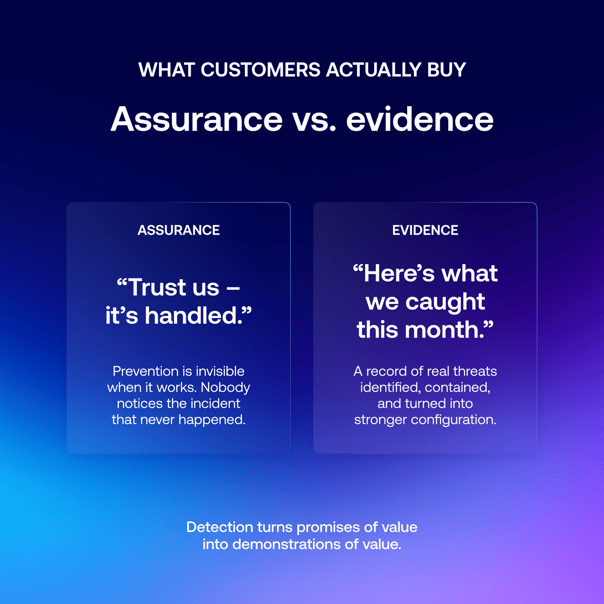
- The second offers to do the same, but can also provide regular records of the threats they identify and remediate. Furthermore, they use each incident to identify the specific policy or configuration drift that caused it, and adjust it accordingly so that your entire security posture becomes stronger.
You’d probably choose the second option, and it’s not hard to understand why: even if the MSP in the first example is correct, the second option still offers an extra layer of redundancy. Furthermore, the value of a successful incident prevention strategy is much harder to defend to a customer, because it’s invisible when it’s working properly. No one even notices an incident that isn’t happening because the tenant was configured correctly. But they absolutely notice when their MSP saves them from a threat in progress.
Threat detection turns security conversations from promises of value into demonstrations of value. This is what customers and their insurers increasingly want to see in potential long-term MSP partners.
Why adding third-party antivirus tools isn’t the answer
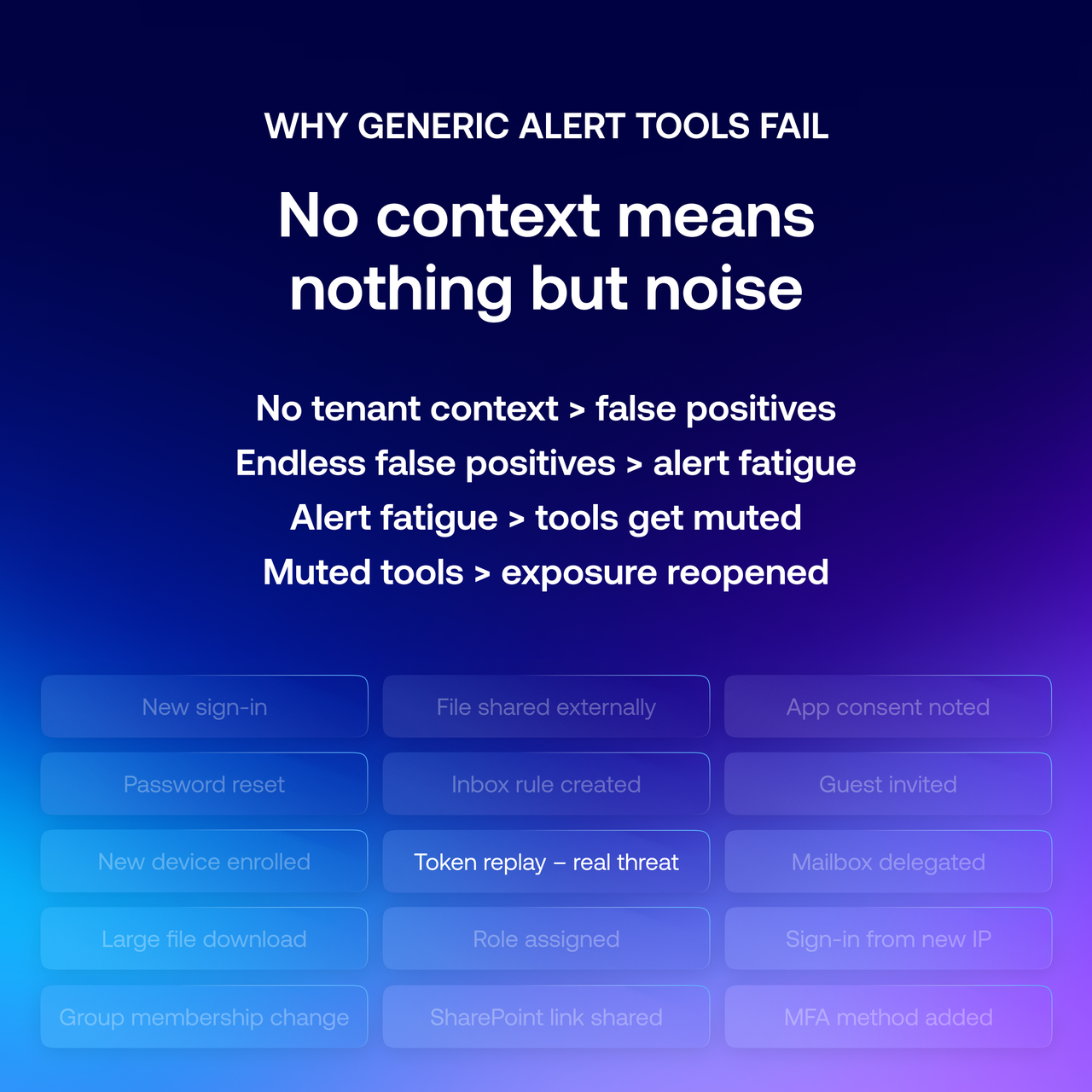
Most standalone threat detection tools aimed at MSPs aren’t specifically designed to serve multiple Microsoft 365 environments at once. This can create blind spots or an overwhelming amount of noise from false positives that makes genuine threats more difficult to detect.
A generic alert tool can be set up to recognize suspicious signals, but can only be given limited context about the tenant it's watching. It typically has no way to tell which settings are intentional or which access patterns are normal for a particular customer. As a result, it will likely flag everything that could conceivably indicate a threat, which risks burying the handful of signals produced by genuine threats.
This creates a type of stress for whoever is managing the tenant known as alert fatigue, which can lead to monitoring tools being muted or switched off. When this occurs, it quietly reopens the exposure these tools were originally purchased to cover. It wastes time and money while doing little (or nothing) to improve security.
Some platforms in this market attempt to solve the context problem by offering to ingest and process logs from your other antivirus software. But a tool stretched across every security product and log source typically can't develop deep, native fluency in any one of them.
This is why inforcer’s threat detection and response solution focuses exclusively on MSPs managing tenants in Microsoft 365 environments: to achieve context-aware detection instead of relying on generic pattern-matching.
Harmonizing protective and preventative tools
inforcer has spent years providing MSPs with deeper visibility into Microsoft 365 environments through our award-winning multi-tenant management platform. Watching how attacks played out across more than 50,000 tenants and 1,200 partners is what brought the problem into focus for our team: even secure, well-run tenants can be targeted through the everyday activity they are required to permit.
We realized the best way to solve this problem was by building a threat detection and response tool designed to integrate with the same platform our MSP partners use to secure their tenants. The resulting product, named inforcer TDR, accomplishes two things a bolt-on tool cannot achieve:
- It has context for each configuration it's defending. inforcer TDR is able to read each tenant's known configuration posture, because that posture was established within inforcer’s multi-tenant management platform (now known as 365 Manager) in the first place. This allows it to recognize events that likely represent real incidents without creating an overwhelming number of false positives in the process.
- It closes the loop back to prevention. When inforcer TDR surfaces an incident, it can also identify the policy or configuration weakness the attacker exploited. The MSP can then remediate the root cause across every affected tenant through 365 Manager, strengthening all tenants against future attacks of the same type.
.png?width=604&height=604&name=custom_thumbnail_large%20(10).png)
MSPs must protect customers now and in the future
Proper management and preventative tooling helps an MSP’s business customers stay productive while lowering the risk of future breaches. Threat detection and response provides a vital contingency for worst-case scenarios. Choosing compatible solutions for each area allows an MSP to increase the utility and value that both provide.
Remember: keeping a tenant productive and keeping a tenant safe are not separate responsibilities. They are different sides of the same job.
inforcer TDR is coming soon, adding threat detection and response to the multi-tenant management platform MSPs already trust to secure Microsoft 365 at scale. Join the inforcer TDR waitlist for a sneak peek at product features, exclusive demos and webinars, and the chance to be among the first to experience end-to-end Microsoft 365 security coverage.
Frequently Asked Questions
If a tenant is hardened correctly, does it still need threat detection?
Yes. Most organizations can only harden a tenant so far before it starts interfering with how people work, so every tenant settles somewhere short of total lockdown to stay productive. That leaves openings attackers can exploit. Threat detection and response solutions exist to cover those openings. They do a job prevention was never meant to do, rather than compensating for a weakness in it.
How do attacks succeed against a well-configured tenant?
The most common modern techniques target gaps that most businesses intentionally leave to operate efficiently. A stolen session token lets an attacker replay a valid session and skip MFA. A consented OAuth app gains legitimate, policy-approved access to data. Human error, like approving a fraudulent MFA prompt, breaks no rule at all. Each of these works precisely because the tenant is functioning as intended.
Why can't a generic monitoring tool solve this?
Generic alerting tools watch for suspicious signals without any context for the specific tenant they're monitoring. They can't tell an intentional configuration from an anomaly, or normal behavior for a given customer from a real threat, so they produce a high volume of alerts for threats that do not exist, which can bury legitimate ones under a constant wave of noise. Because of this, they are often switched off—which creates additional exposure for the tenant.
How does inforcer TDR differ from iTDR tools on the market?
inforcer works exclusively with Microsoft tenants running Microsoft products, built exclusively for MSPs, which enables deep, native detection instead of generic pattern-matching across a bring-your-own-stack model. And because inforcer TDR is built on the same platform that secures the tenant, it can read each tenant's known configuration posture and separate genuine incidents from noise more efficiently than third-party alert tools.
Do I need to master prevention before adding threat detection?
No. Detection and response cover the openings a working tenant leaves from day one, protecting customers while you build out the more demanding preventative discipline over time. inforcer TDR lets partners start with detection and improve comprehensive prevention using the incidents it surfaces to inform long-term hardening through 365 Manager.
Will inforcer TDR replace 365 Manager?
No. They're complementary. 365 Manager remains inforcer's multi-tenant management platform for hardening, baselines, and drift remediation. inforcer TDR adds threat detection and response as optional capabilities, so MSPs can achieve prevention and protection in one connected system rather than relying on disconnected tools.
Share this
Live demo with Co-founder,
Will Connor
Want to see inforcer in action? Join a live platform demo with inforcer Co-founder and Chief Community Officer, Will Connor to explore how inforcer could benefit you.



How to Conduct Effective Microsoft 365 Security Assessments for MSP Prospects
.png)
Building a Productized Microsoft 365 Security Offering for Your MSP